If you’ve ever published a page and then searched for it on Google only to find your title chopped off—or your description rewritten into something you didn’t intend—you already know the quiet truth of SEO:
A ranking is not a click.
Clicks are won in the search results, where your snippet becomes your storefront sign. A strong snippet invites the user in. A weak snippet blends into the crowd—even if the page is technically “optimized.”
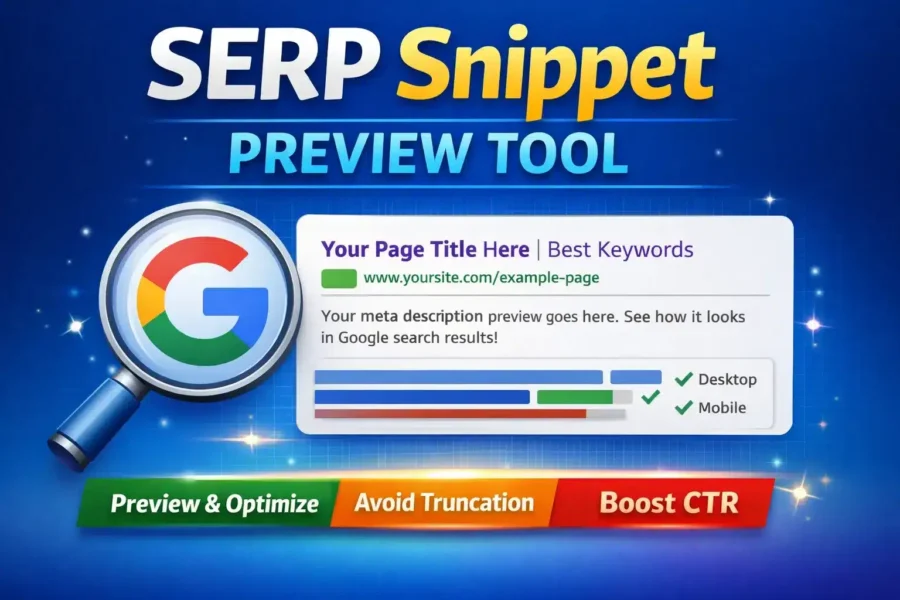
That is exactly why a SERP Snippet Preview Tool is one of the most practical SEO utilities you can use before publishing or updating any page. It helps you preview how your title and meta description may appear on Google, reduce truncation risk, and write snippets that are clearer, more compelling, and more click-worthy.
In this guide, you’ll learn what a SERP snippet is, how Google chooses snippets, ideal title/description length (and why “character count” is not enough), and how to use a snippet preview tool properly—so you can increase CTR without gaming the system.
What Is a SERP Snippet?
A SERP snippet is the block of information Google shows for a page in the search results. While layouts change depending on device and query, most standard snippets include:
-
Title (usually from your
<title>tag, but sometimes rewritten) -
URL or breadcrumb path
-
Meta description (often from your meta description, but sometimes rewritten)
-
Sometimes extra elements like dates, sitelinks, or rich results
Your snippet is not just “metadata.” It is a micro-pitch. You are asking the user to choose your result among many.
And because users skim, not study, a well-written snippet often produces a better outcome than subtle technical changes on the page itself.
Why You Need a SERP Snippet Preview Tool
A SERP snippet preview tool helps you answer three important questions before you publish:
-
Will my title truncate?
Google often truncates long titles, cutting off the most important words. -
Will my description display clearly and completely?
Even if Google rewrites, a strong default description improves your chances of controlling the message. -
Does my snippet communicate value fast?
Your result needs to be obvious, relevant, and useful at a glance.
The tool is especially valuable for:
-
Bloggers optimizing posts for search traffic
-
Affiliate site builders and niche publishers
-
Small business owners managing their own content
-
SEO beginners who want a simple, reliable pre-publish checklist
A Key Point: SERP Previews Are High-Fidelity Simulations (Not Guarantees)
Let’s be direct: no tool can show the exact snippet every user will see.
Google personalizes and dynamically changes snippets based on:
-
The search query (Google may highlight different parts)
-
Device (desktop vs mobile layout)
-
Location and language
-
Whether Google rewrites your title/description for relevance
-
SERP features (site links, featured snippets, FAQs, etc.)
So what a SERP preview tool can do—very effectively—is simulate truncation and layout in a consistent, practical way.
The best tools measure in pixels, not just characters, because Google truncation depends on pixel width, and different letters have different widths (for example, “W” takes more space than “i”).
Title and Meta Description Length: What Actually Matters
Why character count is misleading
Many SEO tips say:
-
“Keep titles under 60 characters”
-
“Keep meta descriptions under 160 characters”
These are not wrong as rough rules. But they are incomplete.
Google truncates based on pixel width, not raw character count. That means:
-
60 characters of narrow letters may fit fine
-
55 characters with wide letters may truncate
Practical limits (approximate)
While there is no fixed rule, a practical guideline for snippet previews is:
-
Title: aim to stay within the “safe” range shown by pixel limit
-
Meta description: aim for a clear, complete sentence without unnecessary filler
A pixel-based SERP Snippet Preview Tool helps you see truncation risk immediately so you can adjust your copy.
SERP Snippet Preview Tool
Pixel-based preview for desktop & mobile. Optional: fetch title/meta/canonical/favicon from a URL (server-side).
Inputs
Preview
Your meta description will appear here. Make it specific, useful, and written for humans.
How to Use a SERP Snippet Preview Tool (Step-by-Step)
If you are using a tool like the one on SmartSEOTools4u, the workflow is simple and repeatable.
Step 1: Enter your meta title
Write a title that includes:
-
The main keyword or topic
-
A clear benefit or differentiator
-
Natural language (avoid awkward keyword stuffing)
Example patterns:
-
“SERP Snippet Preview Tool: Preview Google Titles and Descriptions”
-
“Free SERP Preview Tool (Pixel Accurate) to Improve CTR”
-
“Google Snippet Preview: Title and Meta Description Tester”
Step 2: Write a compelling meta description
A great meta description often includes:
-
What the page offers
-
Who it is for
-
A subtle reason to click (benefit, promise, outcome)
Example:
“Preview your Google snippet on desktop and mobile using pixel-based limits. Test titles, descriptions, and URL display to reduce truncation and improve CTR.”
Step 3: Preview desktop and mobile
Your snippet may look fine on desktop and still truncate on mobile.
Use both previews and prioritize the version most of your audience uses.
Step 4: Fix truncation and tighten clarity
If the tool says your title is near the limit or too long:
-
Move the most important words to the beginning
-
Remove filler phrases (“Best,” “Top,” “Ultimate”) unless meaningful
-
Reduce redundancy (don’t repeat your brand if it adds little)
-
Avoid long separators and stacked modifiers
Step 5: Save the final snippet text
Many tools allow you to copy your final snippet. Keep a record in your content workflow so your metadata remains consistent over time.
Snippet Writing Best Practices That Improve CTR
CTR (click-through rate) is not a ranking factor in a simple, direct way for every query—but higher CTR is often a sign your snippet matches intent, and that improves outcomes over time.
Here are practical best practices.
1) Put intent first, not branding
Users click when they recognize the answer to their question. Titles should start with the topic and value, not your site name.
Better:
-
“SERP Snippet Preview Tool (Pixel Accurate)”
Less effective:
-
“SmartSEOTools4u — SERP Snippet Preview Tool”
2) Match the searcher’s job-to-be-done
If the keyword implies a task, your title should promise completion.
Examples:
-
“Preview Google Snippet”
-
“Check Title Length”
-
“Test Meta Description”
3) Use specific, credible modifiers
Vague words don’t persuade. Specific words do.
Try:
-
“pixel-based”
-
“desktop & mobile”
-
“truncation”
-
“CTR”
-
“snippet”
Avoid:
-
“amazing”
-
“best ever”
-
“guaranteed ranking”
4) Avoid clickbait; make it clean
If you overpromise, users bounce. If users bounce, your snippet suffers long-term.
Why Google Sometimes Rewrites Your Title or Description
Even with perfect metadata, Google may rewrite.
Common reasons:
-
Your title is too long or stuffed
-
Your title doesn’t match the query well
-
Your description is too generic or missing the query context
-
Google finds a more relevant excerpt in your content
How to reduce rewrites
You can’t control Google fully, but you can reduce rewrites by:
-
Keeping titles precise and descriptive
-
Avoiding repeated keywords
-
Making the first paragraph of your content strong (Google often pulls from it)
-
Ensuring your page clearly answers the query
A snippet preview tool supports this process by forcing clarity.
SERP Snippet Examples (Before vs After)
Example 1: Title truncation fix
Before
“Free SERP Snippet Preview Tool to Check Meta Title and Meta Description Length for Google Rankings in 2025”
After
“SERP Snippet Preview Tool (Pixel Accurate) – Desktop & Mobile”
Same topic, less waste, clearer promise.
Example 2: Description clarity upgrade
Before
“This tool is very useful for SEO and helps you check your meta title and meta description for your website pages.”
After
“Preview your Google snippet on desktop and mobile using pixel-based limits. Reduce truncation risk and write titles that earn more clicks.”
Who Should Use a SERP Snippet Preview Tool?
This tool is ideal for:
-
Bloggers optimizing posts for organic traffic
-
Content marketers improving CTR and snippet clarity
-
Affiliate publishers who depend on clicks to generate revenue
-
SEO learners who want immediate feedback before publishing
If you publish content regularly, this becomes a habit tool—not a one-time check.
Frequently Asked Questions
Is a SERP snippet preview tool accurate?
It is accurate for what it claims: a high-fidelity preview using pixel estimation. It cannot guarantee exactly what Google will show for every user.
How long should a meta title be in 2025?
Rather than obsessing over character count, aim for a title that fits within typical pixel limits and places key terms early. Pixel-based tools are more reliable than strict character rules.
Do meta descriptions affect rankings?
Meta descriptions typically do not directly improve rankings, but they strongly influence CTR, and CTR influences performance outcomes in practice. A better snippet earns more traffic from the same ranking position.
Why does Google change my meta description?
Google often rewrites descriptions to better match the query. If your default description is generic, keyword-stuffed, or not relevant, Google is more likely to replace it.
Should I include my brand name in the title?
If your brand is recognized or adds trust, yes. If not, keep it optional and avoid pushing important keywords out of the visible range.
Use the SERP Snippet Preview Tool the Right Way
A snippet preview tool isn’t about “gaming Google.”
It’s about communicating with humans inside Google’s interface.
A good snippet is:
-
honest
-
clear
-
aligned with intent
-
written for fast scanning
-
shaped to avoid truncation
When you treat your snippet as a promise—and your page as the fulfillment—SEO becomes less like guessing and more like craft.